Getting Started with AI Art: Complete Beginner’s Guide 2025
Are you fascinated by AI-generated art but don’t know where to start? You’re in the right place! This comprehensive guide will take you from complete beginner to creating your first stunning AI artwork.
Disclosure: This page contains affiliate links.
If you purchase through these links, we may earn a commission at no extra cost to you. We only recommend tools we personally use and trust.
What You’ll Learn:
- What AI art is and how it works
- The best beginner-friendly AI art tools
- How to write effective prompts
- Creating your first AI artwork
- Common mistakes to avoid
Let’s dive in!
What is AI Art?
AI art is artwork created using artificial intelligence algorithms. Instead of traditional painting or drawing, you describe what you want in text (called a “prompt”), and the AI generates an image based on your description.
How It Works:
AI art generators use machine learning models trained on millions of images. When you enter a prompt like “a sunset over mountains, oil painting style,” the AI analyzes:
- The subject (sunset, mountains)
- The style (oil painting)
- The composition and colors
Within seconds, it creates a unique image matching your description.
Why AI Art is Revolutionary:
- No artistic skills required – Anyone can create beautiful art
- Instant results – Generate images in 10-60 seconds
- Unlimited iterations – Try different styles and variations easily
- Affordable – Many tools are free or low-cost
- Accessible – Create from your phone, tablet, or computer
Best AI Art Tools for Beginners
There are dozens of AI art generators, but these are the best for beginners:
1. Leonardo.ai (Recommended for Beginners!)
Why it’s best for beginners:
- 150 free credits daily (refreshes every 24 hours)
- User-friendly interface
- No Discord required (unlike Midjourney)
- Multiple AI models to choose from
- Great community and tutorials
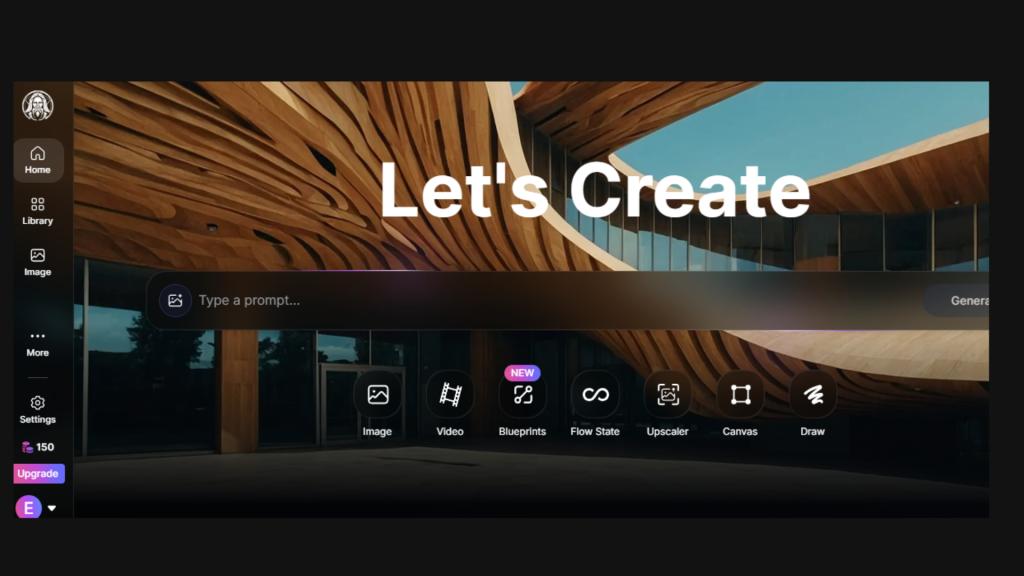
Pricing: Free tier + paid plans starting at $10/month
Best for: Learning AI art, experimenting with styles, daily practice
2. Microsoft Bing Image Creator (Completely Free!)
Why it’s great:
- Totally free with no credit limits
- Uses DALL-E 3 (powerful AI model)
- Simple interface
- No account needed to start
- Fast generation
Pricing: Free
Best for: Quick experiments, testing prompts, beginners on a budget
3. NightCafe Studio
Why beginners like it:
- Multiple AI models in one platform
- Free credits daily
- Active community for inspiration
- Easy to share and get feedback
- Competitions and challenges
Pricing: Free credits + paid plans from $5/month
Best for: Community engagement, trying different AI models
4. Midjourney (If You Have Budget)
Why it’s powerful:
- Industry-leading image quality
- Highly detailed, artistic results
- Best for professional-looking art
- Active Discord community
Pricing: $10/month (no free tier)
Best for: High-quality results, professional projects
5. DALL-E 3 (via ChatGPT Plus)
Why it’s useful:
- Excellent at understanding complex prompts
- Great with text in images
- Part of ChatGPT Plus subscription
- Can iterate based on feedback
Pricing: $20/month (includes ChatGPT Plus)
Best for: Complex concepts, combining AI text and images
How to Write Effective AI Art Prompts
The prompt is everything in AI art. A great prompt = great art. Here’s how to write them:
Basic Prompt Structure:
[Subject] + [Style] + [Details] + [Mood/Lighting]Example:
A majestic dragon, digital art style, perched on a mountain peak,
dramatic sunset lighting, cinematic composition
Prompt Writing Tips:
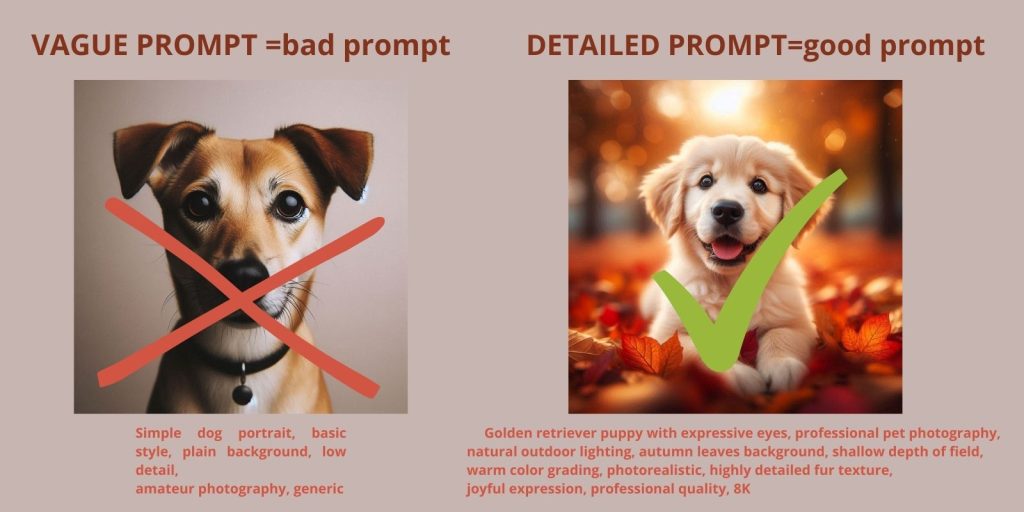
1. Be Specific (But Not Too Wordy)
❌ Bad: “A dog”
✅ Good: “A golden retriever puppy, photorealistic, playing in autumn leaves”
2. Specify Art Style
Try these popular styles:
- Digital art
- Oil painting
- Watercolor
- Photorealistic
- Anime/manga
- Comic book style
- 3D render
- Vintage illustration
3. Add Mood and Lighting
Lighting transforms your image:
- Dramatic lighting
- Soft natural light
- Golden hour
- Neon lights
- Candlelit
- Backlit silhouette
4. Include Composition Details
- Portrait (close-up of face/shoulders)
- Full body shot
- Wide angle
- Bird’s eye view
- Cinematic composition
- Centered, symmetrical
5. Reference Quality
Add these for better results:
- High quality
- 4K
- Detailed
- Professional
- Award-winning
Example Prompts for Beginners:
Landscape:
Mountain landscape at sunrise, misty valleys, pine trees,
dramatic clouds, oil painting style, vibrant colors,
high detail
Portrait:
Portrait of a wise old wizard, white beard, blue robes,
holding a glowing staff, fantasy art style, magical atmosphere,
dramatic lighting
Abstract:
Abstract geometric shapes, vibrant colors, 3D render,
metallic textures, floating in space, modern digital art
Animal:
Majestic lion, golden mane, regal pose, savanna background,
sunset lighting, photorealistic, national geographic style
Creating Your First AI Artwork: Step-by-Step
Let’s create your first AI art using Leonardo.ai (free):
Step 1: Sign Up for Leonardo.ai
- Go to Leonardo.ai
- Click “Get Started Free”
- Sign up with Google or email
- Confirm your email
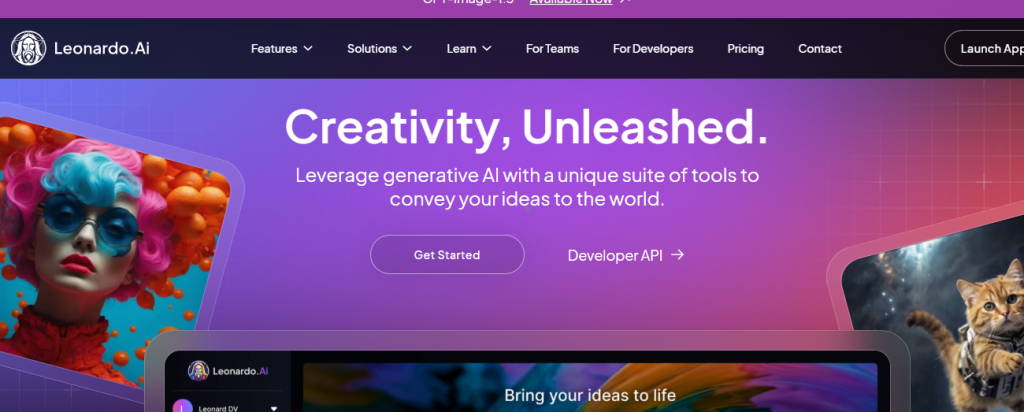
You’ll get 150 free credits daily!
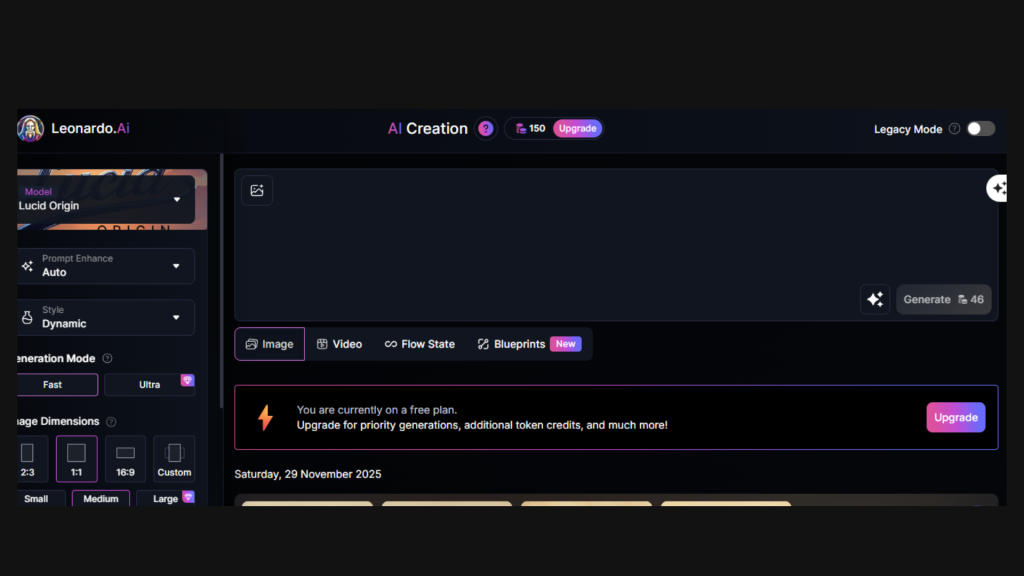
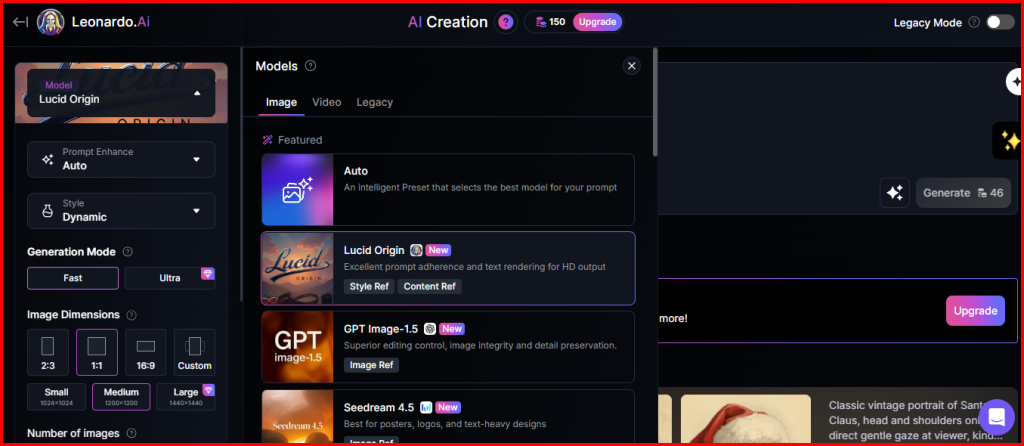
Step 2: Choose Your AI Model
On the main interface:
- Click “AI Image Generation”
- Choose a model (Leonardo Diffusion XL is great for beginners)
- Set image dimensions (1024×1024 is standard)
Step 3: Write Your Prompt
Let’s create a fantasy landscape:
Your first prompt:
Magical forest with glowing mushrooms, fantasy art style,
mystical fog, fireflies, purple and blue color palette,
enchanted atmosphere, high detail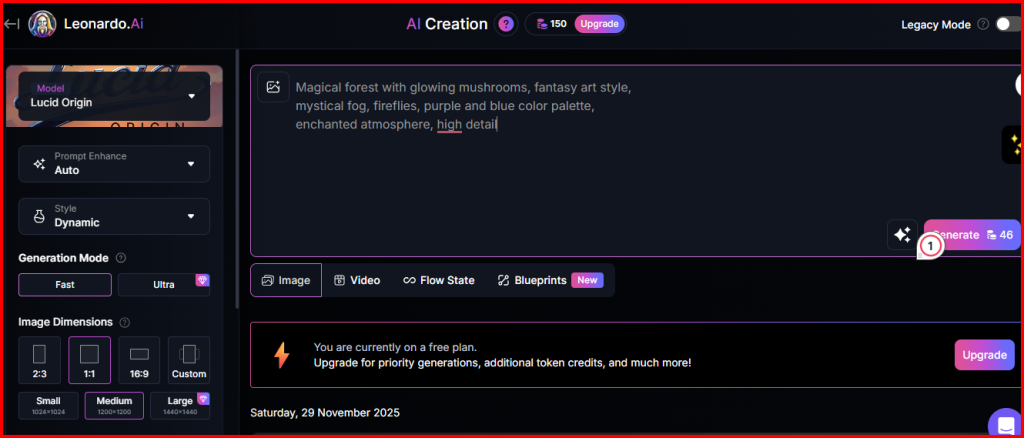
Type this into the prompt box.
Step 4: Generate!
- Click “Generate”
- Wait 10-30 seconds
- See your results!
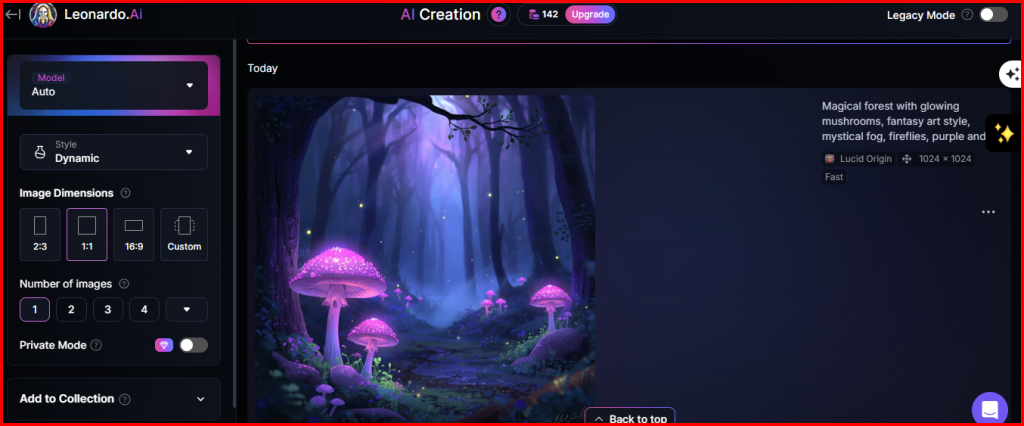
Leonardo generates 4 variations – pick your favorite! (it depends on the chosen model
Step 5: Refine and Iterate
Not happy with the results? Try:
If too dark: Add “bright lighting, well-lit”
If not detailed enough: Add “highly detailed, intricate”
If colors are off: Specify “vibrant colors” or “muted tones”
If composition is wrong: Add “centered composition” or “rule of thirds”
Generate again with your improved prompt!
Step 6: Download Your Art
- Click on your favorite image
- Click “Download”
- Save to your computer
Congratulations! You’ve created your first AI art! 🎉
Common Beginner Mistakes (And How to Avoid Them)
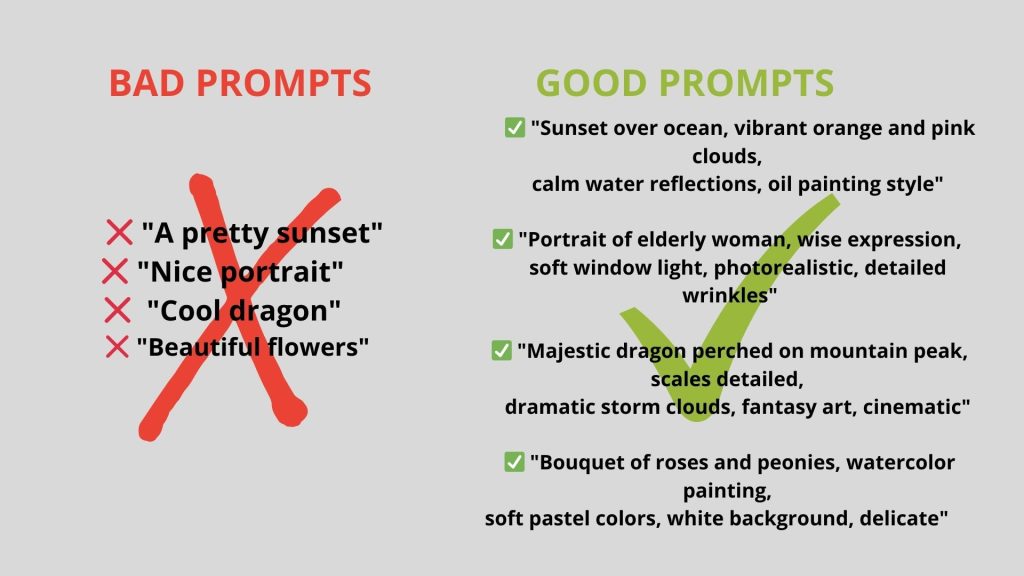
Mistake #1: Vague Prompts
❌ “A pretty sunset”
✅ “Sunset over ocean, orange and pink clouds, calm water, oil painting style, warm tones”
Fix: Add specific details about style, colors, and mood.
Mistake #2: Too Many Ideas in One Prompt
❌ “A dragon fighting a knight in a castle with a wizard casting spells and a princess watching from a tower during a thunderstorm at sunset”
✅ “Medieval knight battling a dragon, castle background, epic fantasy art”
Fix: Focus on one main subject. Create separate images for complex scenes.
Mistake #3: Ignoring Negative Prompts
Negative prompts tell the AI what NOT to include.
Use negative prompts for:
- “ugly, blurry, low quality, distorted”
- “extra fingers, bad anatomy” (for people)
- “watermark, text, signature”
Most AI tools have a “negative prompt” field – use it!
Mistake #4: Giving Up After First Try
Your first result probably won’t be perfect. That’s normal!
Professional AI artists generate 20-50 images before finding the perfect one.
Keep iterating:
- Adjust your prompt
- Try different styles
- Change the AI model
- Experiment with settings
Mistake #5: Not Saving Good Prompts
When you create something amazing, save that prompt!
Keep a prompt library:
- Note what worked
- Save successful combinations
- Build a collection of styles you like
Understanding AI Art Styles
Different styles create drastically different results. Here are popular styles to try:
Photorealistic
Prompt: Mountain landscape at golden hour, photorealistic, professional nature
photography, dramatic clouds, mirror lake reflection, crisp details,
National Geographic style, 8K quality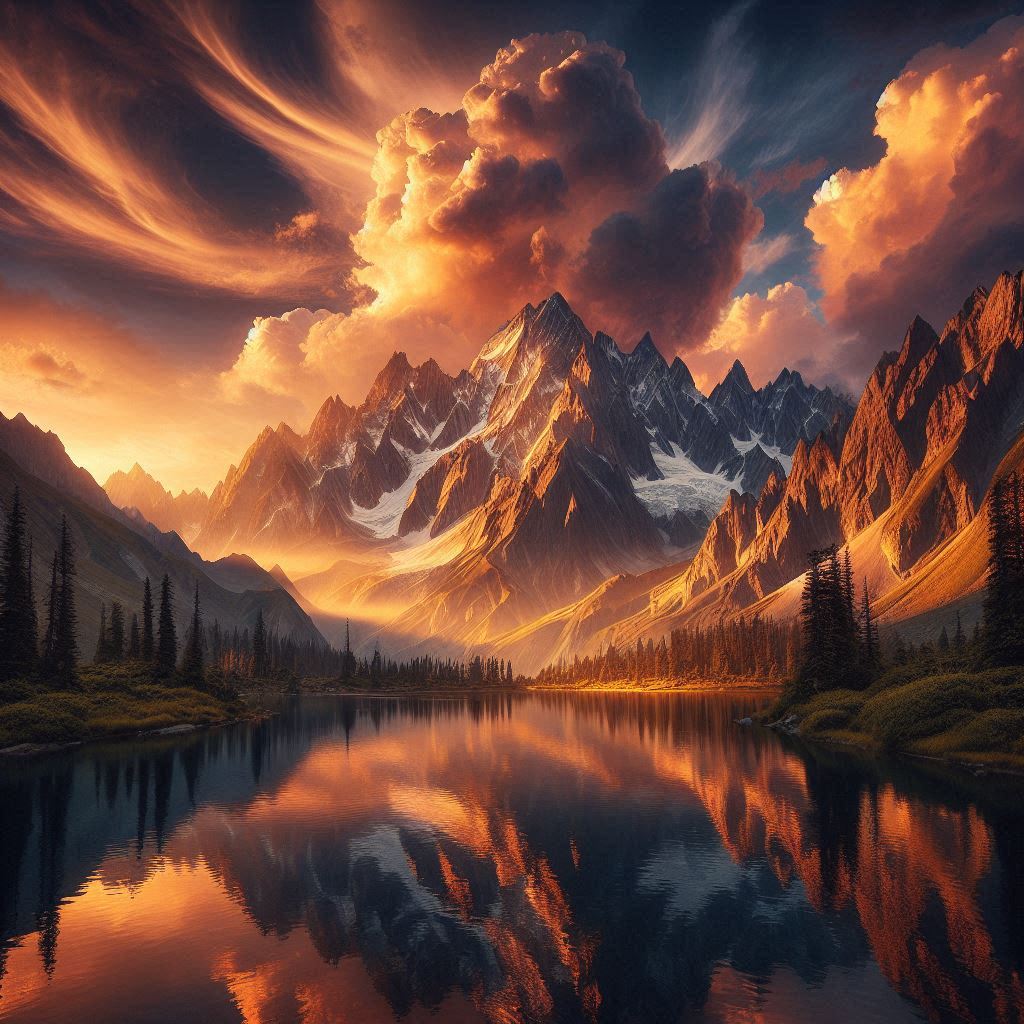
Best for: Realistic images, nature, portraits
Digital Art
Prompt: Futuristic spaceship interior, digital art style, sci-fi concept art,
glowing control panels, cinematic lighting, detailed, ArtStation quality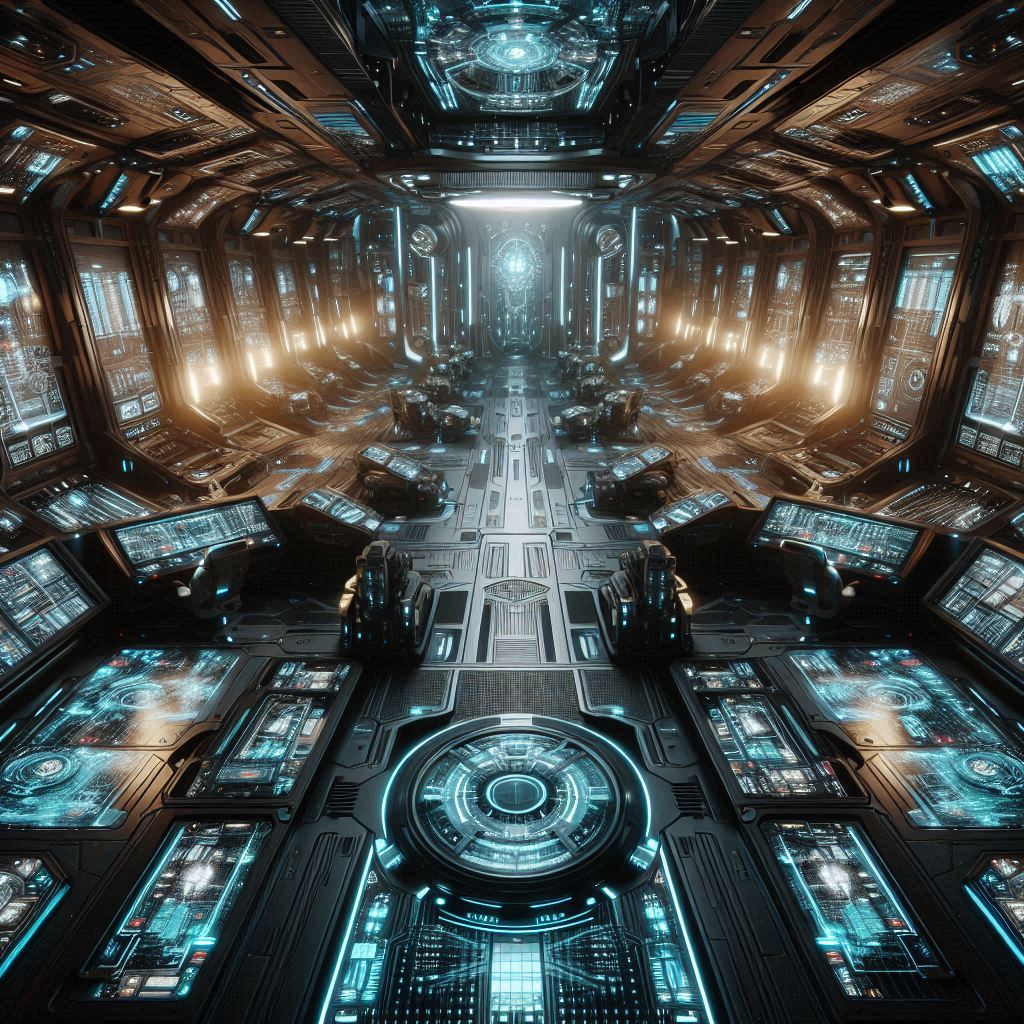
Best for: Fantasy, sci-fi, game art
Oil Painting
Prompt: Sunflower field at sunset, impressionist oil painting style, visible
brushstrokes, Claude Monet inspired, warm colors, textured canvas,
artistic, classic fine art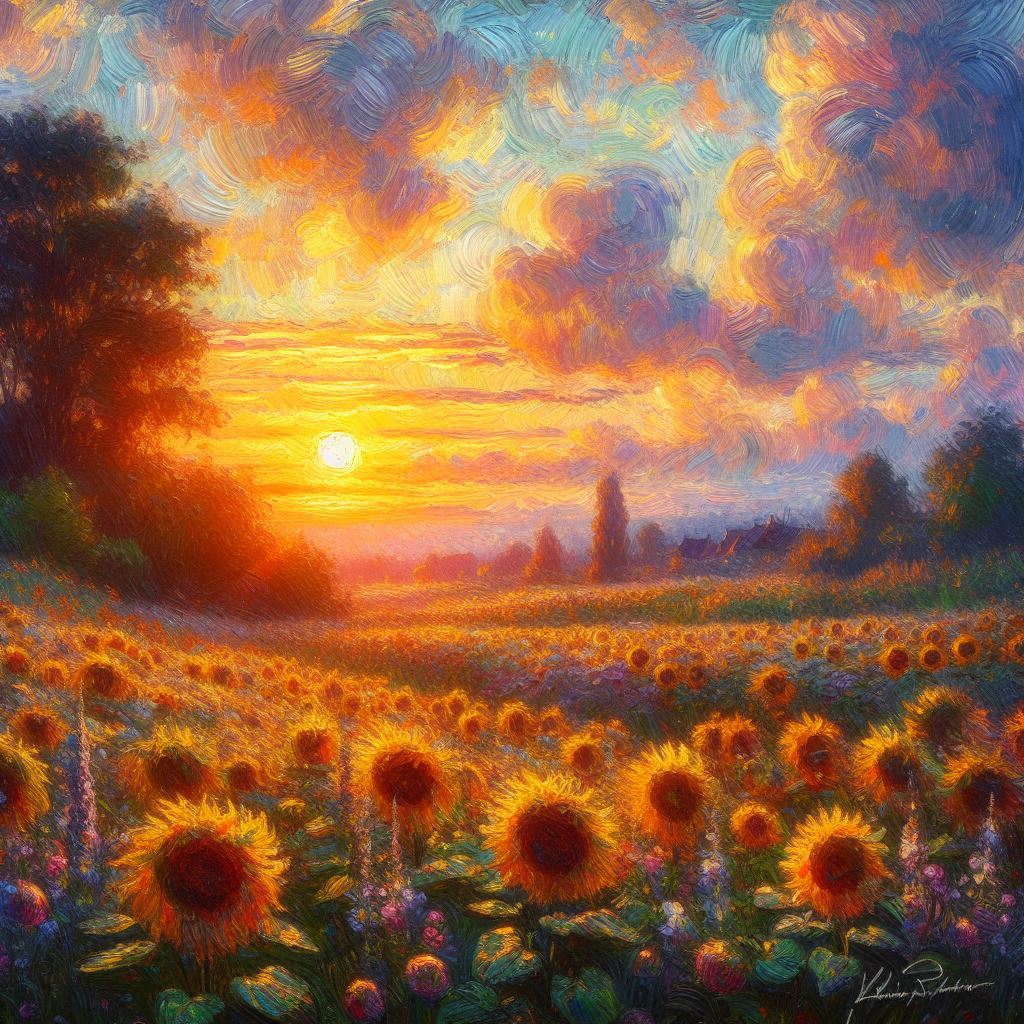
Best for: Classical scenes, portraits, landscapes
Anime/Manga
Prompt: Anime character portrait, large expressive eyes, colorful hair, manga
style, cel shaded, vibrant colors, studio quality, detailed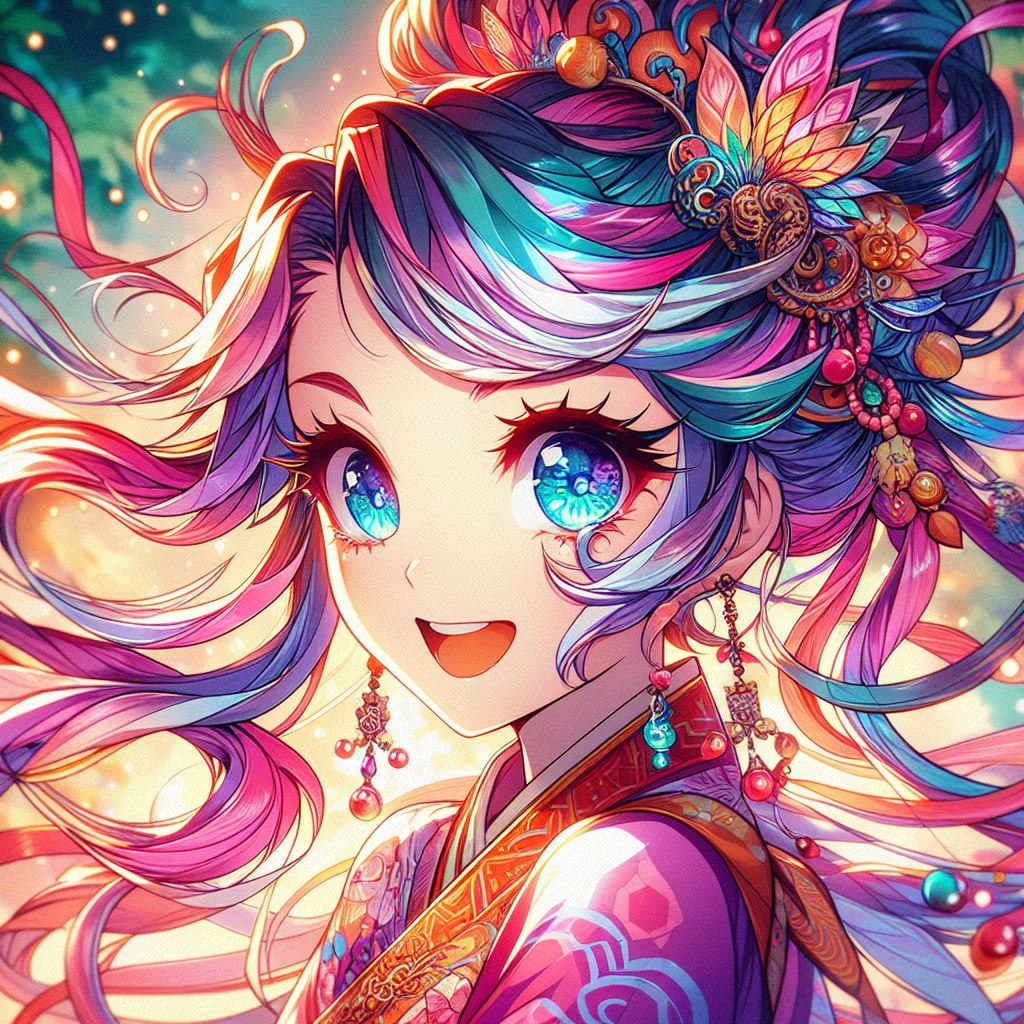
Best for: Characters, stylized portraits
Watercolor
Prompt: Cherry blossom branch, delicate watercolor painting, soft edges,
pastel pink and white, paper texture, artistic, gentle, elegant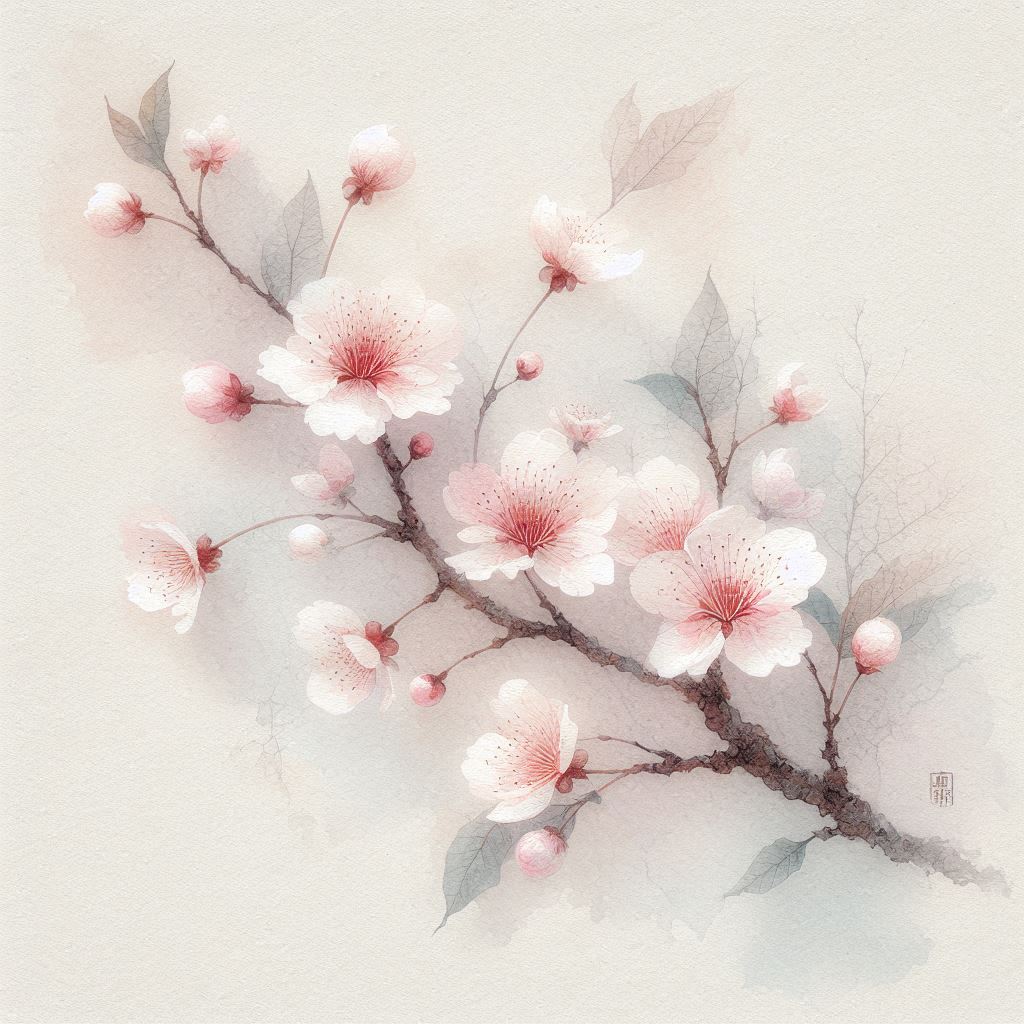
Best for: Delicate subjects, nature, soft aesthetics
3D Render
Prompt: Modern minimalist room interior, 3D render, octane render, clean
geometric shapes, soft lighting, architectural visualization,
professional quality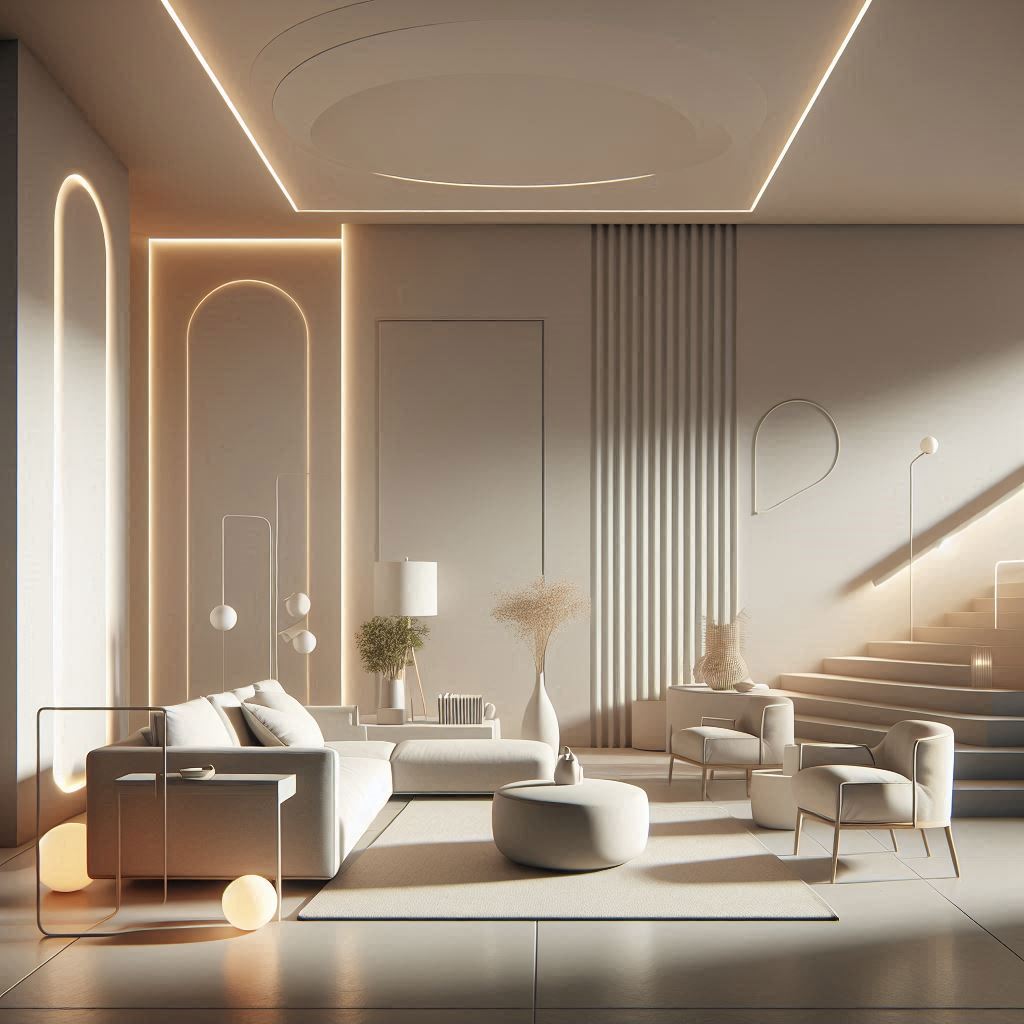
Best for: Architecture, products, modern concepts
What to Do With Your AI Art
Once you’ve created artwork, here’s what you can do:
1. Personal Use
- Phone/desktop wallpapers
- Social media posts
- Personal projects
- Gifts for friends/family
2. Print and Frame
- Print at home or local print shop
- Frame for home decor
- Create art gallery wall
- Gift to others
3. Learn and Improve
- Study what works
- Build prompt library
- Experiment with styles
- Join AI art communities
4. Share Online
- Instagram, Twitter, Pinterest
- AI art communities (Reddit, Discord)
- Get feedback
- Inspire others
5. Sell (With Right License)
- Print-on-demand (Redbubble, Society6)
- Stock image sites
- Commission work
- Digital downloads
⚠️ Check each platform’s AI art policy and commercial usage rights!
Next Steps: Continue Your AI Art Journey
Now that you’ve created your first AI artwork, here’s how to keep improving:
Week 1: Practice Daily
- Generate 10-20 images daily
- Try different subjects
- Experiment with styles
- Save successful prompts
Week 2: Study Prompt Engineering
- Learn advanced prompt techniques
- Study other artists’ prompts
- Join prompt-sharing communities
- Read our guide: Mastering Midjourney Prompts
Week 3: Explore Different Tools
- Try 3-4 different AI generators
- Compare results
- Find your favorite
- Learn each tool’s strengths
Month 2+: Develop Your Style
- Focus on specific genres
- Create consistent aesthetics
- Build a portfolio
- Share your work
Recommended AI Art Resources
Communities:
- r/aiart (Reddit) – Active community, daily inspiration
- Leonardo.ai Discord – Helpful beginners
- Midjourney Discord – Professional artists
Learning:
- Prompt Engineering Guide (our tutorial)
- AI Art Styles Explained (our guide)
- YouTube – Search “AI art tutorials”
Inspiration:
- Pinterest – Search “AI art inspiration”
- ArtStation – Professional AI artwork
- Our Gallery – See what’s possible
Frequently Asked Questions
Q: Do I need artistic skills to create AI art?
A: No! That’s the beauty of AI art. You need creativity and imagination, but no drawing or painting skills. The AI handles the technical execution.
Q: Is AI art really “art”?
A: Yes! AI art is a tool, like a paintbrush or camera. The creativity comes from you – your vision, prompt writing, and artistic choices. The AI executes your vision.
Q: Can I sell AI-generated art?
A: It depends on the tool and your plan:
- Midjourney: Yes, with paid subscription
- Leonardo.ai: Yes, with commercial license
- DALL-E: Check OpenAI’s terms
- Always verify the specific tool’s commercial usage policy
Q: How long does it take to get good at AI art?
A: You’ll create impressive images on day one! But mastering prompt engineering takes 2-4 weeks of daily practice. Advanced techniques take months.
Q: Is AI art going to replace traditional artists?
A: No. AI art is a new medium, like how photography didn’t replace painting. Traditional art skills are still valuable. AI is simply another tool for creativity.
Q: What if my images look weird or distorted?
A: Common in the beginning! Tips:
- Add “high quality, professional” to prompts
- Use negative prompts: “ugly, distorted, low quality”
- Try different AI models
- Adjust settings (more steps, higher resolution)
Q: Can I use AI art commercially?
A: Depends on:
- The AI tool’s license (read their terms)
- Your subscription level (free vs paid)
- The platform you’re selling on (their policies)
Always check before selling!
Final Thoughts: Your AI Art Journey Starts Now
You’ve learned:
✅ What AI art is and how it works
✅ The best beginner-friendly tools
✅ How to write effective prompts
✅ Created your first AI artwork
✅ Common mistakes to avoid
The most important step? Start creating!
AI art is about experimentation. Try different prompts, styles, and tools. Some images will be amazing, others will be weird – that’s part of the fun!
Join our community:
- Share your first AI artwork in the comments below
- Ask questions – I respond to every comment
- Subscribe for weekly AI art tutorials
Next recommended reads:
Create Something Amazing Today!
Don’t overthink it – open Leonardo.ai right now and generate your first image. You’ll be amazed at what you can create!
Your first prompt to try:
Magical library, floating books, glowing enchantments,
fantasy art style, warm lighting, cozy atmosphere,
highly detailed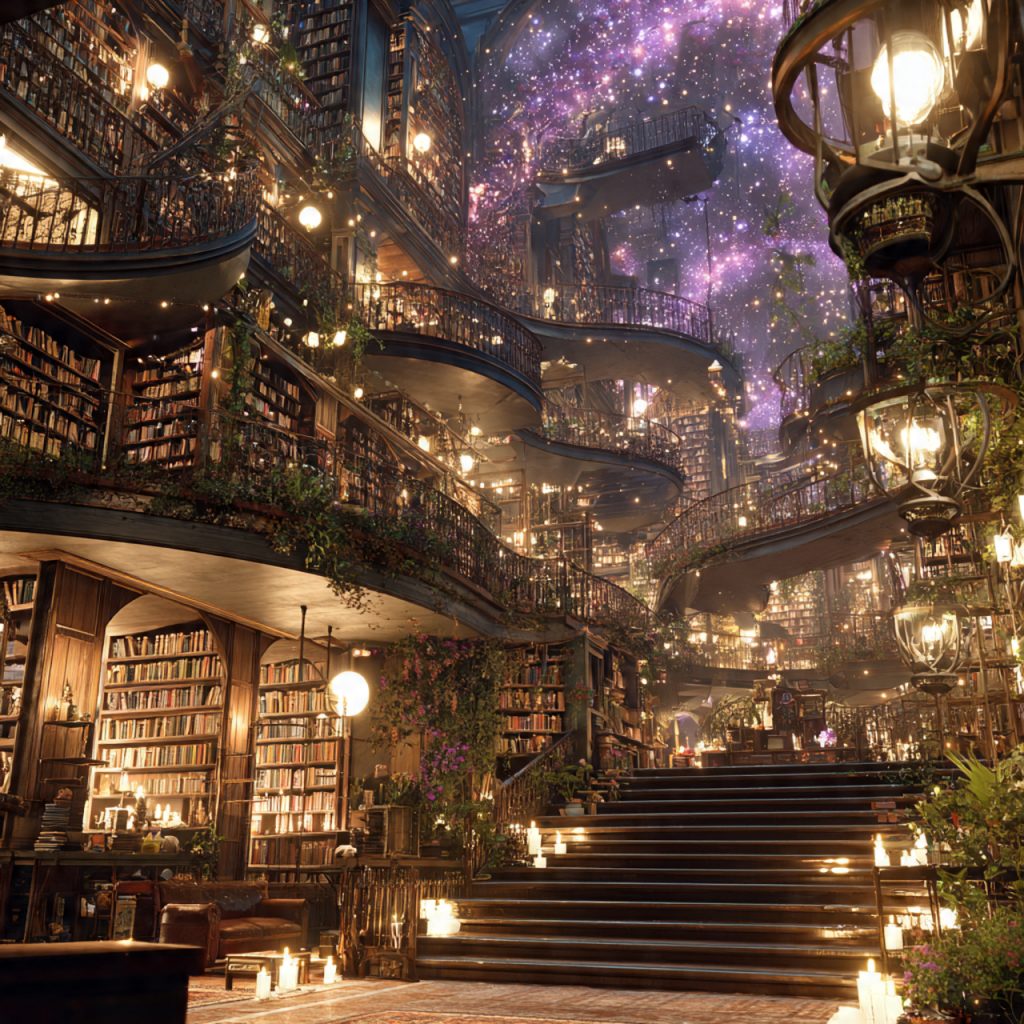
Go create! And share your results in the comments! 🎨✨
Found this helpful? Pin it, share it, and bookmark it!
Questions? Drop them in the comments – I’ll answer every single one!
Related Posts You’ll Love:
- Best Free AI Art Generators 2025
- Mastering Midjourney Prompts
- Creating Fantasy Art with AI
- AI Art Styles Explained


Post Comment